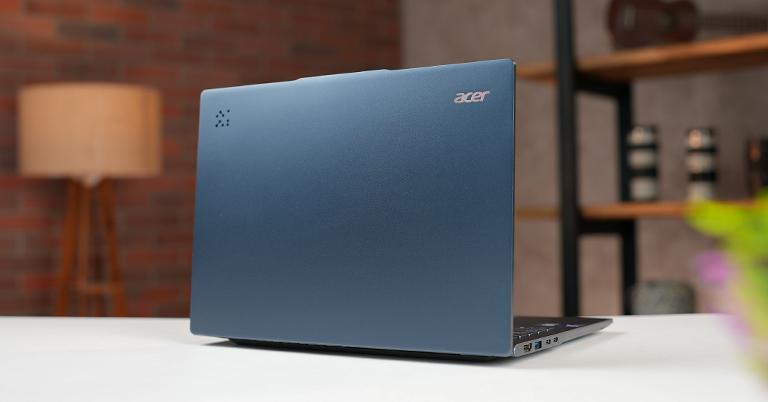
Acer Swift 14 AI Specifications
- Dimensions & Weight: 312.4 x 221.2 x 9.7 ~ 15.95 mm, 1.26 kg
- Display: 14" WUXGA OLED, 60Hz, 400 nits, 100% DCI-P3
- Keyboard: Chiclet keyboard
- Security: TPM 2.0
- Processor: Intel Core Ultra 7 256V
- Graphics: Intel Arc 140V Graphics (Integrated)
- RAM: 16GB LPDDR5X (Dual-channel, Non-upgradable)
- Storage: 512GB NVMe PCIe 4.0 SSD
- Audio: Stereo speakers
- Battery: 65Wh
- Webcam: 1440p QHD camera
- I/O Ports: 2× Thunderbolt 4, 2× USB-A 3.2 Gen 1, HDMI 2.1, 3.5mm audio
- OS: Windows 11
- Price in Nepal: NPR 133,999
Build and Design

- Dimension: 312.4 x 221.2 x 9.7 ~ 15.95 mm, 1.26 kg
- Aluminium top & palm rest, plastic base
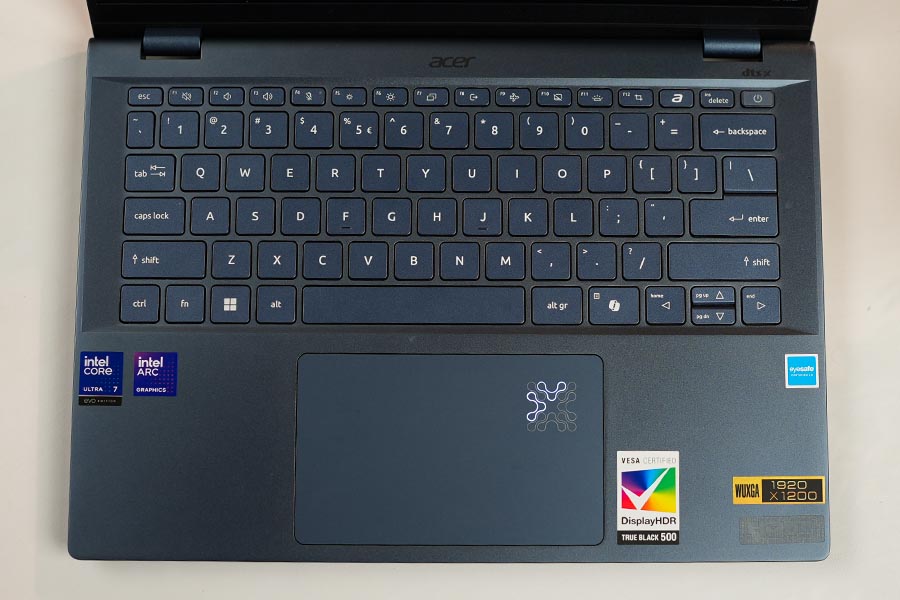
So, as always, let’s start my review with the positives first. The laptop feels solid and well-built. It’s mostly made from poly-carbonate, which keeps it lightweight, but the upper lid and the keyboard deck is made from aluminium. On the lid, there’s just an Acer logo on the top left corner and an AI activity logo on the right, with the rest of the surface clean. Moving to the keyboard deck, there are quite a few stickers—which I really don’t like—like the huge VESA-certified display sticker, the HDMI sticker, and a few others. Honestly, I’d remove all of them on day one.
Talking more about the build, you can open the lid with one hand easily and the device can go flat 180 degree, and for the first time, this aluminium lid doesn’t attract fingerprints as much as others. I really like the design—it’s simple and clean, with no flashy elements, so it fits in everywhere.
Ports
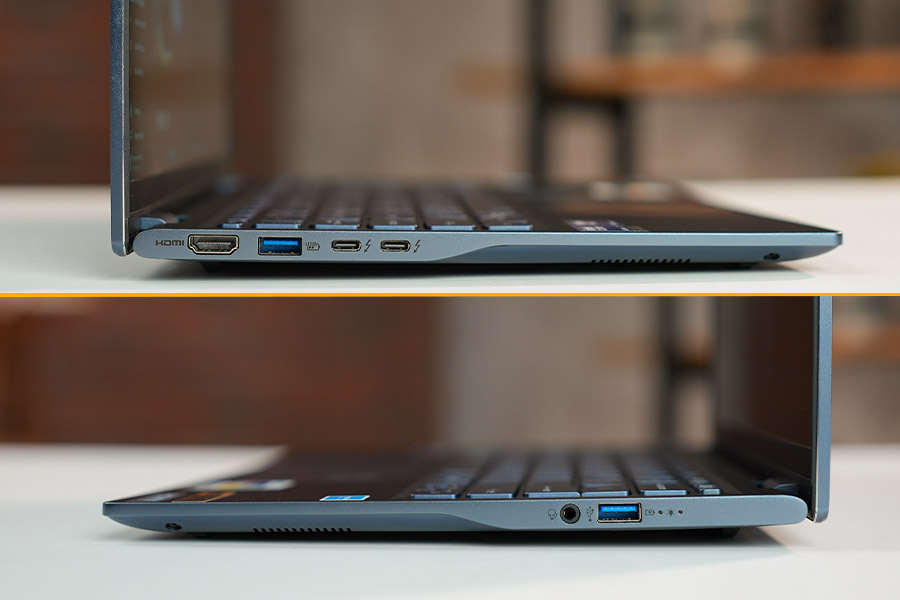
On the left: 2x USB-C (Thunderbolt 4), 1x USB-A 3.2 Gen 1, and 1x HDMI 2.1 port.
On the right: 1x USB-A 3.1 Gen 1 and a headphone jack combo port.
Talking about the ports, we get plenty of Type-A and Type-C ports, which is more than enough for our daily use. The only downside is that since the laptop charges via USB-C, only one of the two USB-C ports is available for peripherals while charging. Other than that, the port selection is pretty solid for the price.
Display
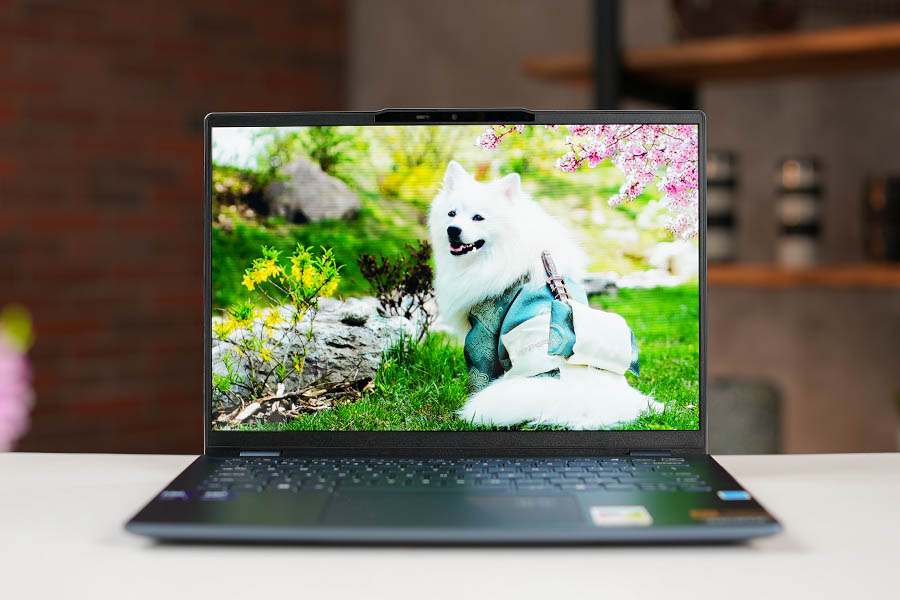
- 14-inch WUXGA (1920 x 1200) OLED Display
- 100% DCI-P3 colours, 400 nits brightness
- 60Hz refresh rate
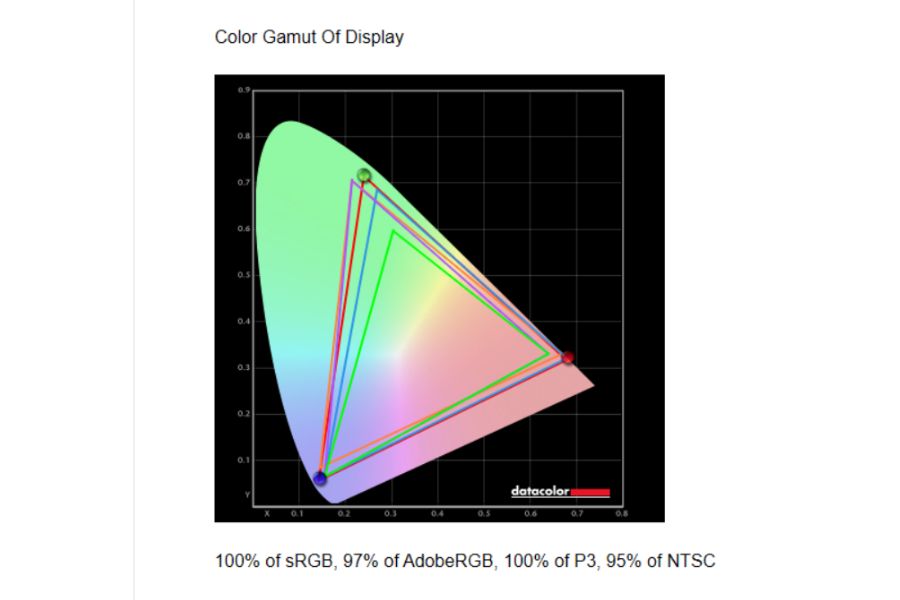
This display is both one of my favourite and most disappointing parts of this laptop. Here we get a 14-inch OLED WUXGA panel with 100% DCI-P3 coverage and around 400 nits of brightness. The laptop is almost perfect for watching content and even doing a light color grading task.
Display
1/3
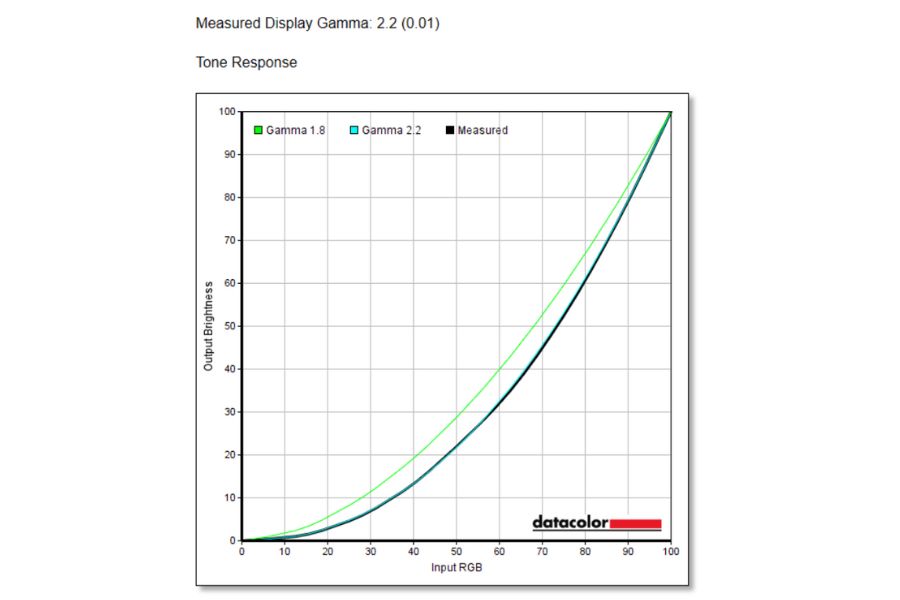
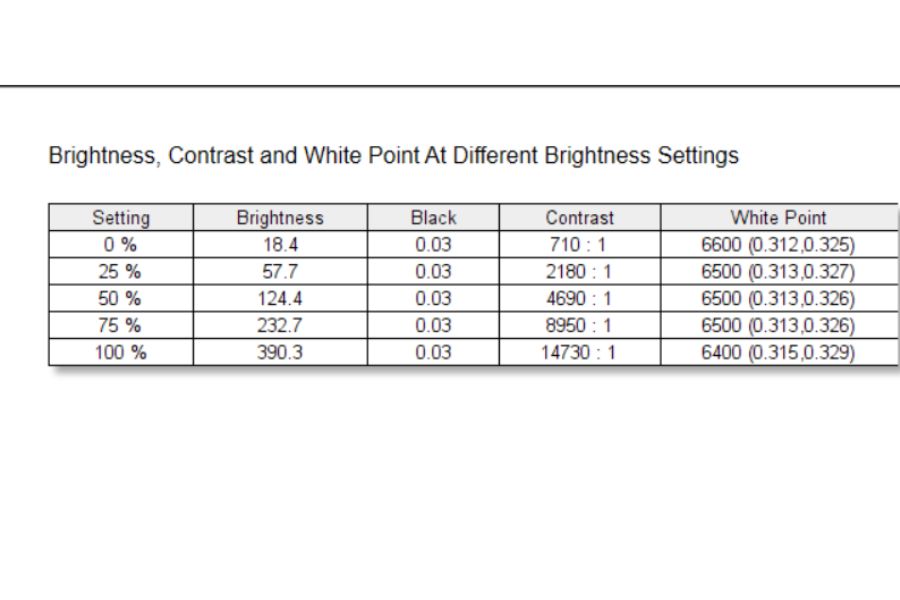
But a huge bummer is that it only comes with a 60Hz refresh rate, which is, I guess, unfair for this price range. I was at least expecting a 90Hz panel. Other than this 60Hz panel, the display is excellent for the price.
Keyboard and Trackpad
Keyboard and Trackpad
1/3
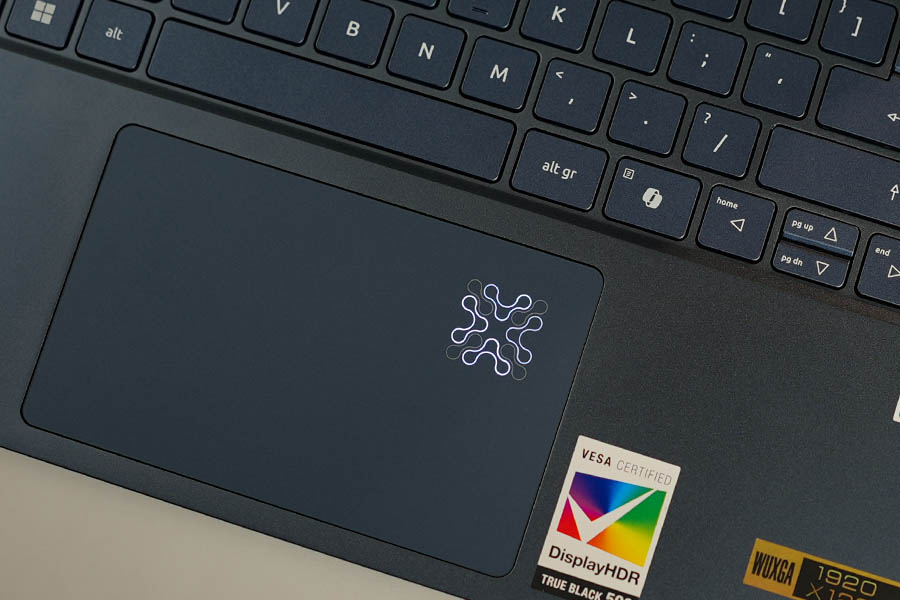
- TenKeyLes keyboard
- Single white backlit keys
- Plastic track-pad with Windows Precision driver
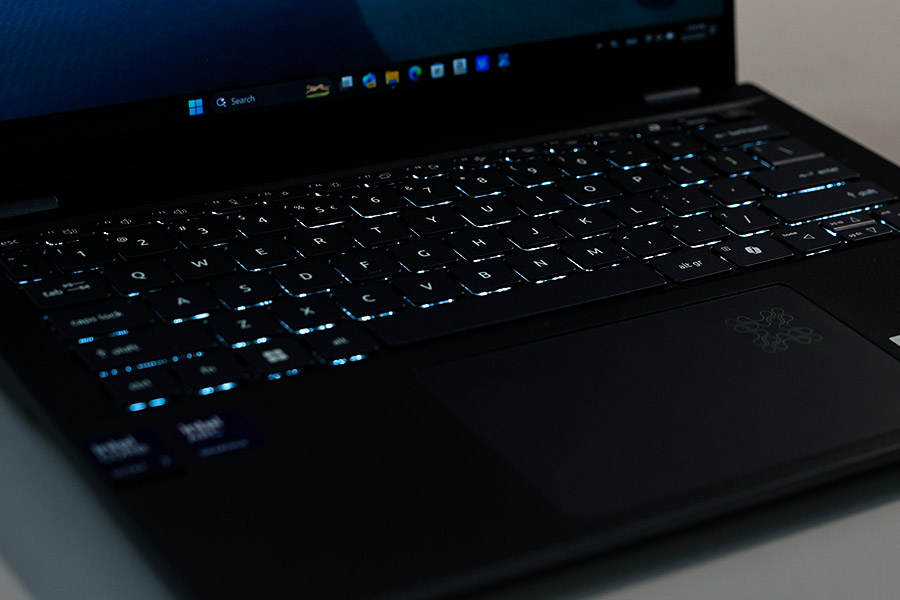
For the keyboard, I just want to say that it's fine—I can type comfortably on it—but the key travel isn’t that great. It feels a little hollow compared to others. That said, it's not a major problem. We also get a white backlit with two brightness levels, but the back light isn’t very strong. The trackpad, however, feels a little above average. It gets the job done perfectly.
Webcam and Speaker
- QHD (2560 x 1440) with Physical Shutter
- Down-firing stereo speakers with DTS:X Ultra
Talking about the webcam, it’s fine for video calls, though the image quality looks basic and slightly pixelated. We do get some nice Windows Studio Effects, such as background blur, portrait mode, eye contact correction, and automatic framing.But I was shocked to find out that it doesn’t support Windows Hello IR login, which is a real bummer for an AI-ready PC.
We get two down-firing speakers with on this laptop. They get decently loud, but the sound is quite thin and has no bass, which makes the listening experience less enjoyable.
Battery
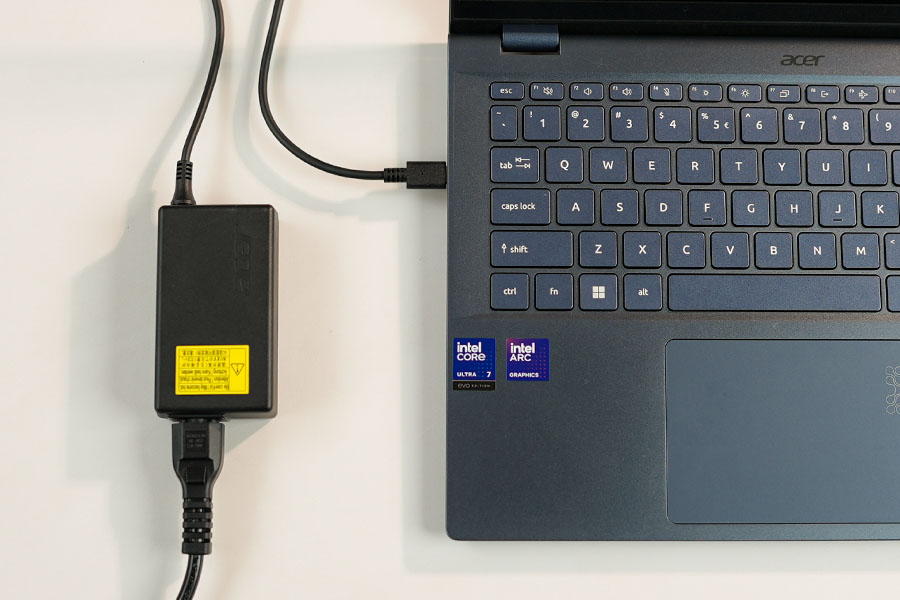
- 65Wh battery with 65W charging
Okay, so talking about the battery life, things are actually pretty impressive. It’s got a 65Wh battery and is Intel Evo certified, and honestly, even with my usage—playing songs on YouTube, working across multiple browser tabs, and doing regular tasks—it easily lasts around 8–9 hours. So yeah, if you’re planning to use this without carrying a charger, you’re totally fine for a full day.
Performance
- Intel Core Ultra 7 256V CPU
- Intel Arc 140V Graphics
- 16GB RAM (Soldered)

Okay, talking about performance, this laptop comes with an Intel Core Ultra 7 256V processor with 8 cores and 8 threads. Most laptops in this segment, like the Acer Swift Go 14 (2024), come with the Intel Core Ultra 5 125H, so I really wanted to see the difference between these two processors. To find out, I ran Cinebench 2024, and the results were as…
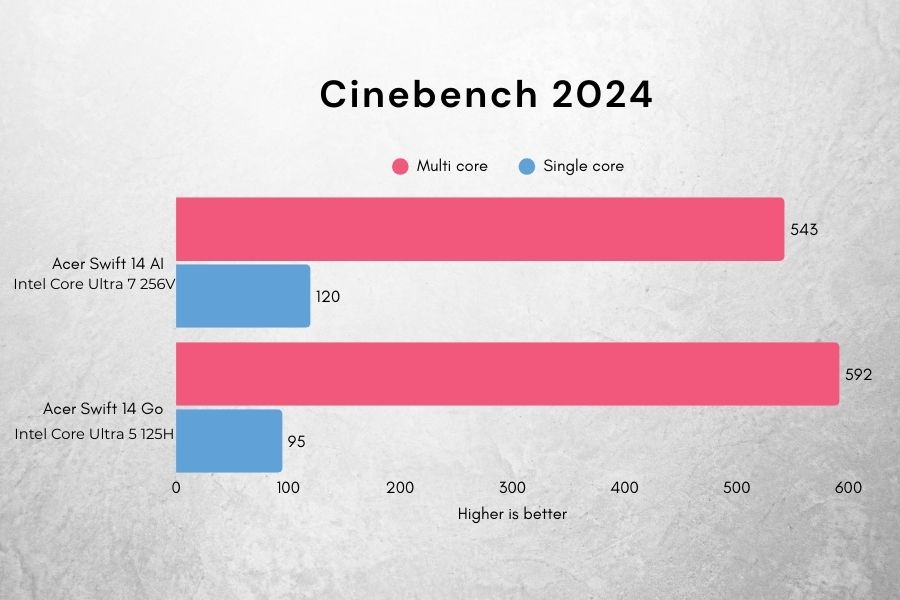
Both the chips were pretty similar in terms of performance, but the Intel Core Ultra 5 125H actually has around 8% faster multi-core performance compared to the Intel Core Ultra 7 256V. While that may sound like a lot on paper, it doesn’t make a huge difference in real-world usage.
Overall, for everyday use, work, browsing, and entertainment, this CPU handles everything amazingly. For the price, it performs well.
Gaming
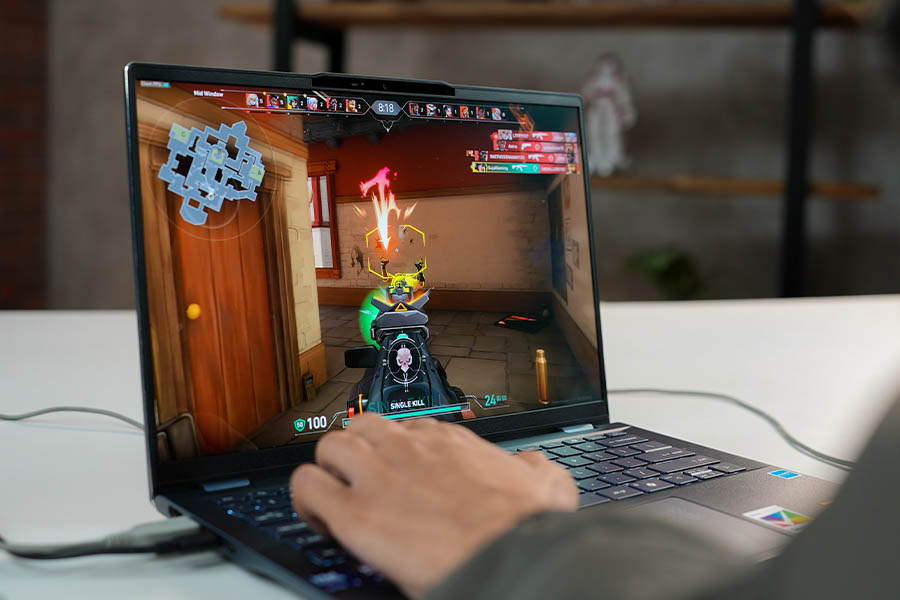
Yes, gaming is possible on this thin and light laptop. I played Valorant at mid settings and got an average of around 147fps, with 1% lows still high at 93.7fps. That said, we can’t really enjoy the smoothness of the game because we are limited to a 60Hz panel. Also, don’t expect to run heavier games like GTA V on this, as it doesn’t have a dedicated graphics card.
Conclusion
Okay, as we’ve reached the end of the review, this really feels like a solid laptop for the price. It comes with an excellent battery life, great performance, and an outstanding display. That said, one of its biggest drawbacks is the 60Hz panel, especially when many laptops in this price range offer 90Hz.
But if you’re on a budget and want something similar for a lower price, you can consider the Acer Swift Go 14. It costs around NPR 1,15,000. You will have to compromise on battery life, and it may slightly heat up during use, but you do get a 90Hz OLED panel with it.